


Built for self-employed

Bookkeeping for Canadian photographers

Invoice clients, track gear depreciation, log travel and second-shooter costs, and see your real profit per shoot, with a T2125 that's ready when tax season comes.

Start free for 30 daysNo credit card required
Download on the App Store
Get it on Google Play
Invoice clients and track shoots with Accountly

You shoot. You edit. Then the books pile up.

Between weddings, deposits land, gear receipts scatter, and the second shooter needs paying. By tax time you're guessing what your camera should depreciate and which lens you bought when. Accountly keeps the money organized so you can stay behind the lens.

Invoicing for photographers

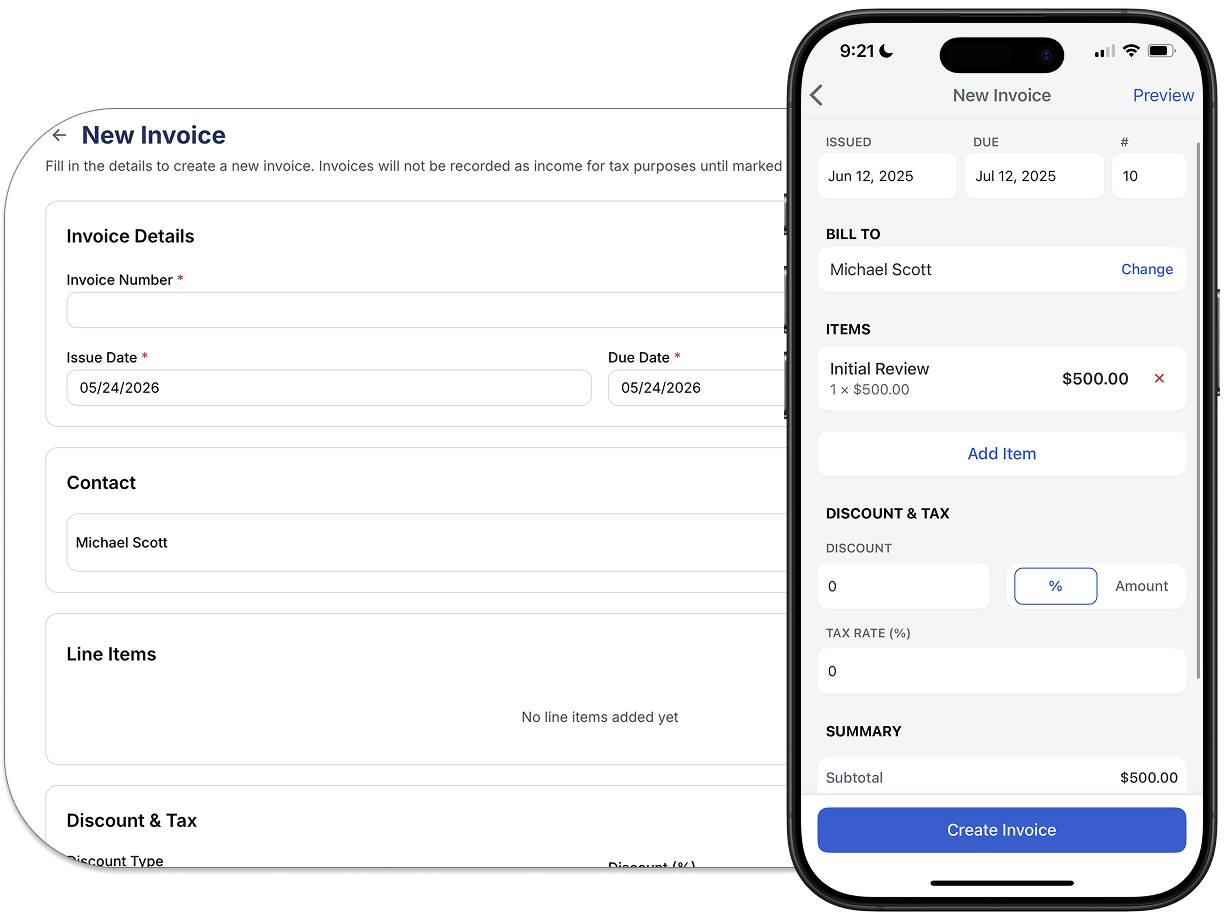
Invoice clients and track deposits

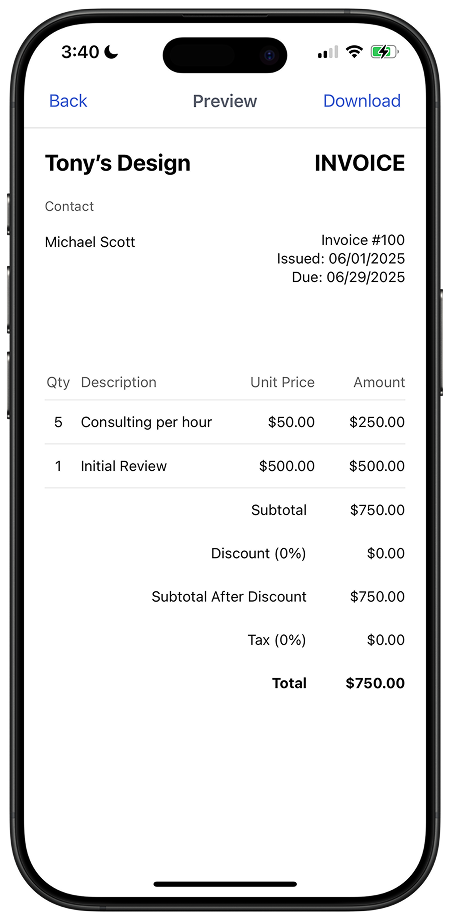
Send professional invoices with your branding, collect deposits, and see what's paid and outstanding. When a client pays, the income lands in your books automatically, deposits included.

  • Custom invoices with your logo and terms
  • Deposits and retainers recorded as income
  • Track paid, outstanding, and overdue at a glance
Gear and expense tracking for photographers

Gear deductions, made easier

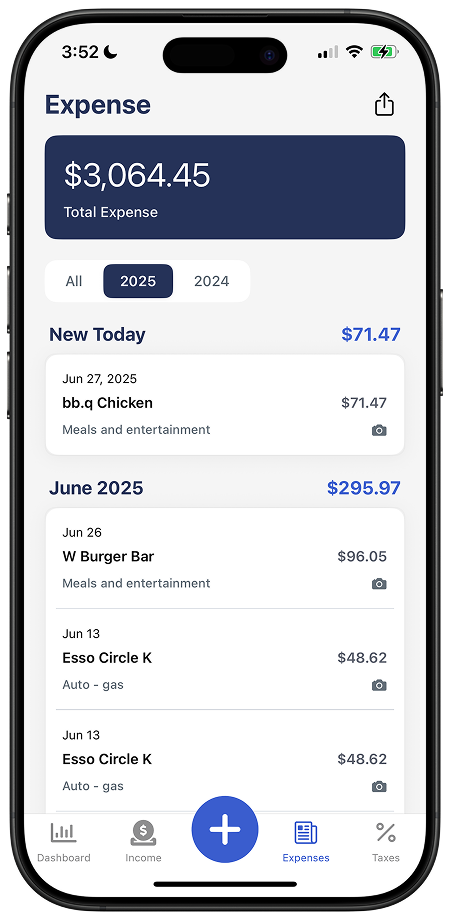
Photograph the camera-store receipt and keep it with the expense record. Review whether each purchase is a current expense or capital asset before calculating any CCA claim.

  • Receipt capture from your phone camera
  • Gear records organized for a CCA review
  • GST/HST input tax credits tracked on eligible expenses once you're registered
T2125 report for photographers

T2125-ready all year, not just in April

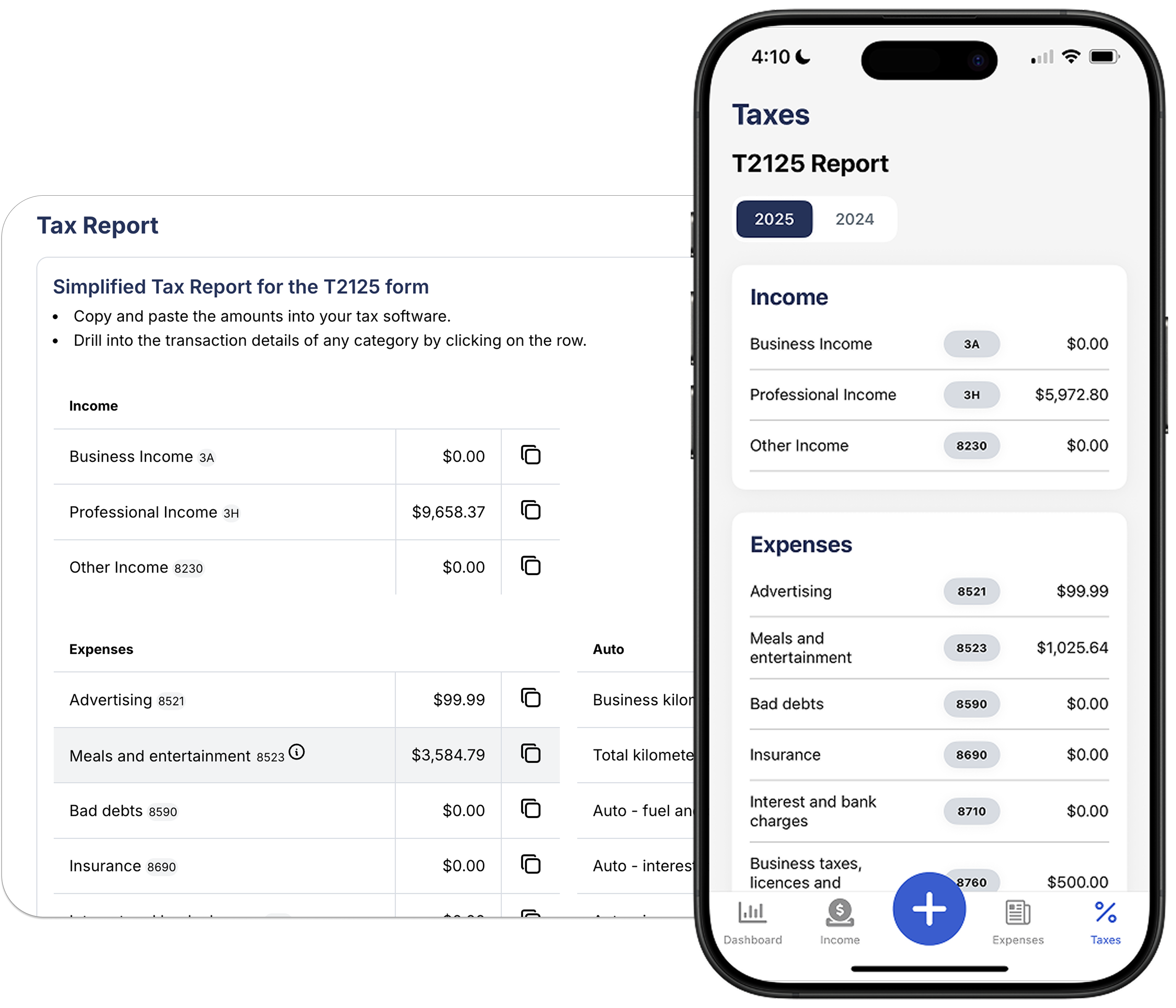
Your T2125 category totals update as you record bookings and expenses. Review the breakdown yourself or share the supporting records with your accountant.

  • T2125 category totals updated as you go
  • Attach a receipt or note to each expense
  • Invite your accountant for direct access

Deductions photographers actually claim

Built into Accountly's categories from day one.

πŸ“·

Cameras & lenses

Your bodies, glass, and lighting are capital assets. Accountly tracks them and the depreciation you claim each year.

πŸ’»

Editing rig & software

Lightroom, Capture One, Premiere, your editing workstation. The tools you process shoots on are deductible.

πŸ–ΌοΈ

Galleries & booking software

Pixieset, ShootProof, Dubsado, HoneyBook. Client galleries and CRM subscriptions are current expenses.

πŸš—

Travel to shoots

The business share of your vehicle costs, flights and hotels for destination weddings, parking. Keep a log and the business purpose.

πŸ‘₯

Second shooters & editors

Pay an assistant, second shooter, or editor? Deductible subcontractor costs with a proper invoice.

🏠

Home studio & editing space

If it’s your main place of business, a dedicated office or shooting space at home earns you a percentage of rent, utilities, and internet.

πŸ–¨οΈ

Prints & albums (COGS)

The cost to produce prints, albums, and canvases you sell is deducted against that revenue.

πŸŽ’

Bags, props & rentals

Camera bags, backdrops, props, and gear rented for a specific shoot.

πŸ“£

Marketing & website

Your portfolio site, hosting, ads, and the second-shooter network that brings you work.

Photographer tax FAQs

Do self-employed photographers file a T2125 in Canada?

Yes. Wedding, portrait, real estate, and product photography income is self-employment income reported on a T2125 Statement of Business or Professional Activities with your T1 return.

How does Accountly handle camera gear that depreciates?

Snap the receipt and keep it with the transaction. Review whether the purchase is a current expense or capital property, then use the appropriate CCA treatment when filing.

Can I track income per shoot or client?

Yes. Attach income and expenses to a client or project to see your real profit per wedding or session, and to pass costs through on an invoice.

When do photographers need to register for GST/HST?

Registration is generally mandatory when worldwide taxable revenue exceeds $30,000 in one calendar quarter or across four consecutive calendar quarters. Registered photographers may claim eligible input tax credits on business purchases.

How do I handle deposits and retainers?

Deposits count as income when received. Accountly records them so your books reflect what actually landed, not just final invoices.

Can I invite my accountant?

Yes. Invite your accountant for direct read or edit access to your income, expenses, and T2125 totals, no exports or email attachments.

Stay behind the lens. Let Accountly handle the books.

Free for 30 days. No credit card required.