

One app for self-employed Canadians
Whatever you do, trades, services, creative work, or something else entirely, the business side is the same. Track income and expenses, send invoices, bill your hours, and keep your T2125 ready all year.


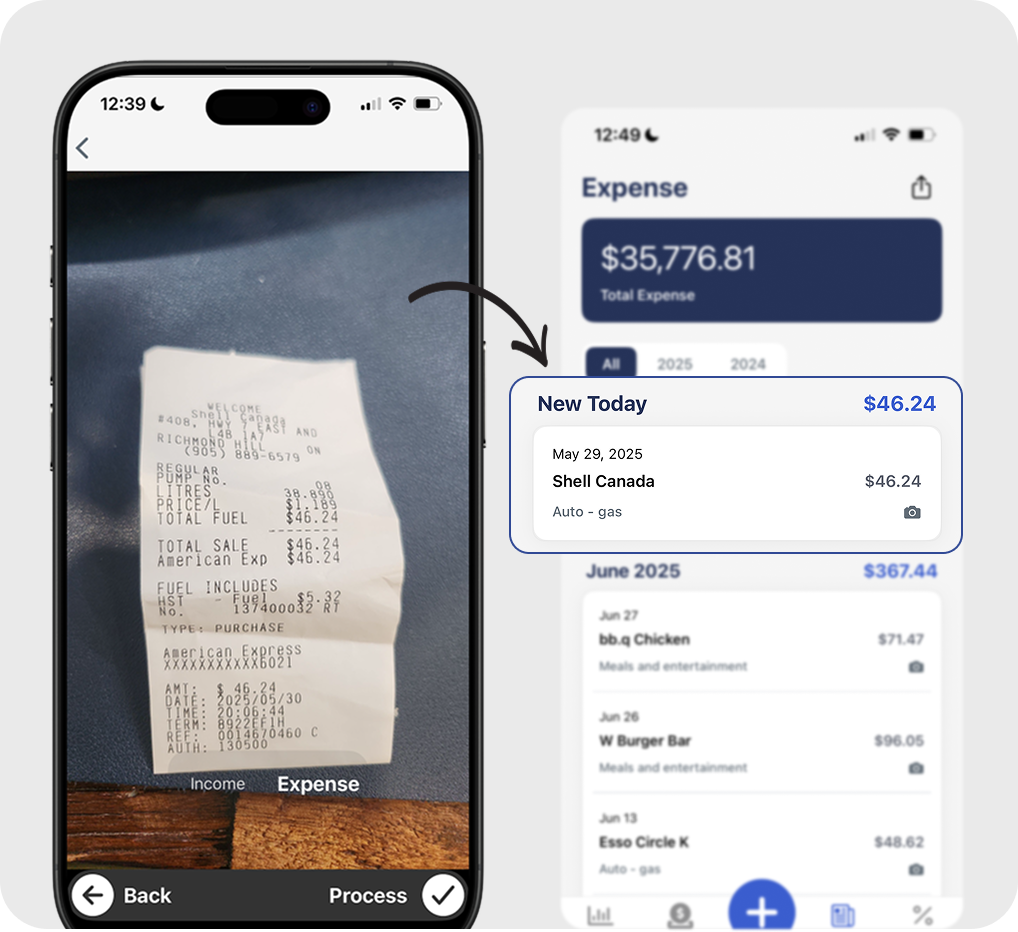
The work is yours. The paperwork doesn't have to be a nightmare.
When you work for yourself, the business side is on you. Income from multiple sources, expenses spread across personal and business accounts, invoices to send and follow up on, GST/HST to track, and a T2125 due every spring. Accountly keeps it organized so tax time isn't a scramble.
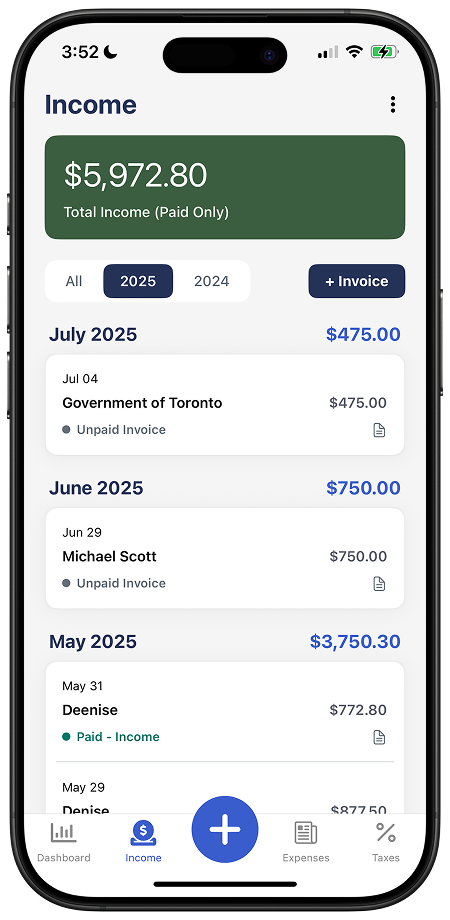
Income and expenses, all in one place
Log income from any source, client payments, platform payouts, cash jobs. Capture expenses as they happen with your phone camera. Everything in one place, organized by CRA category.
 Income from multiple clients or platforms
- Receipt capture from your phone
- Automatic GST/HST tracking on income and expenses
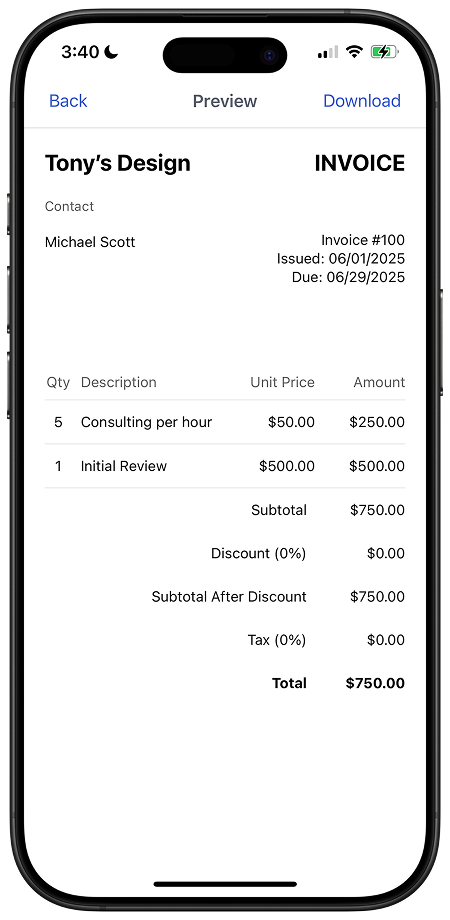
Invoice clients professionally
Create and send invoices in seconds. Track what's paid, what's outstanding, and what's overdue, and when a payment comes in, it's recorded in your books automatically.
- Professional invoices with your logo and terms
- Track paid, outstanding, and overdue invoices
- Income recorded automatically on payment
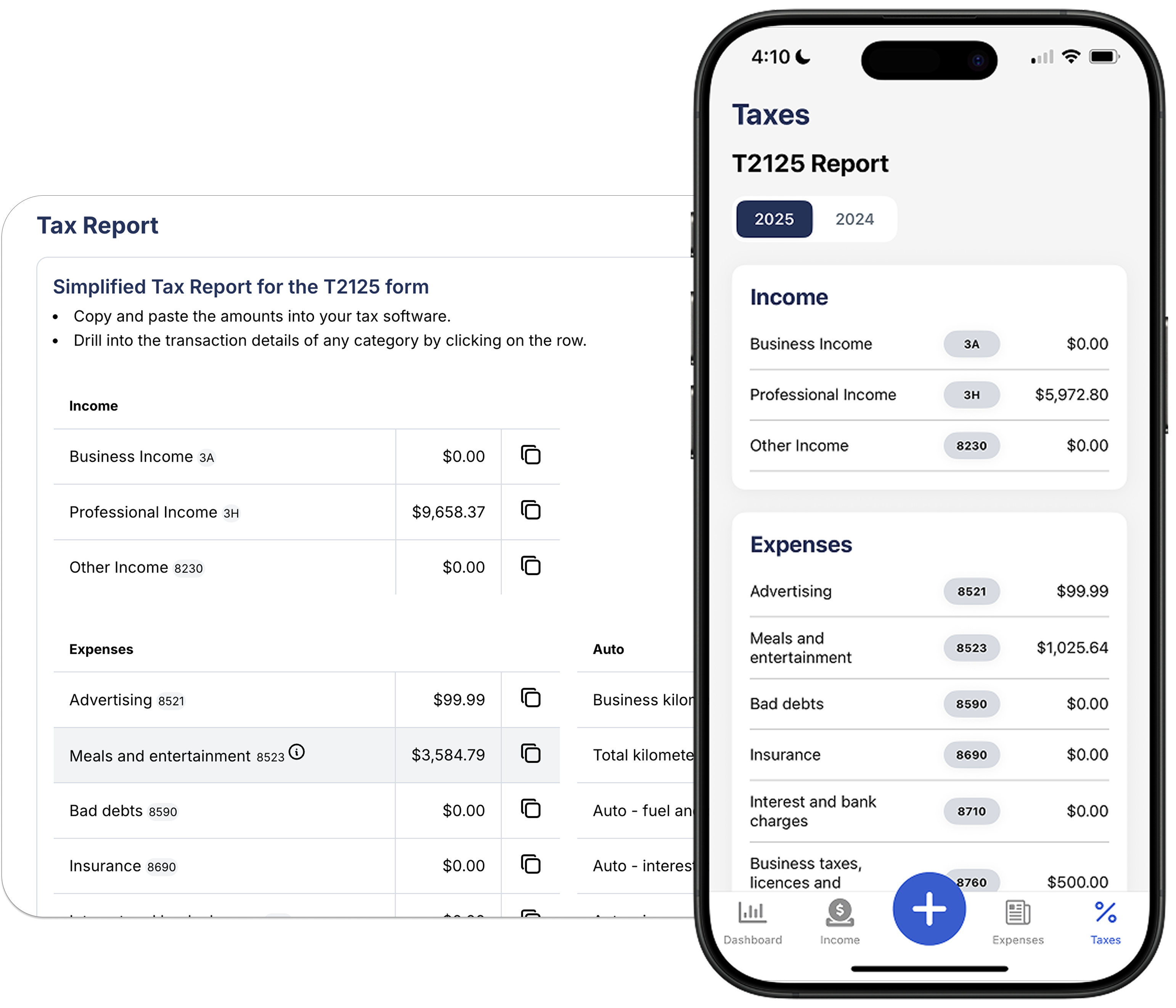
T2125 records organized before April
As you log income and expenses, Accountly updates your T2125 category totals. Review the breakdown yourself or share the supporting records with your accountant.
- T2125 totals updated as you go
- Attach receipts to the expenses they support
- Share access with your accountant directly
Common self-employed deductions
Built into Accountly's categories. Claim what you've earned.
Home office
A percentage of your home expenses, utilities, internet, rent or mortgage interest, based on the space used for work.
Vehicle & mileage
Business-use kilometres and the costs that go with them, fuel, insurance, maintenance, and parking.
Phone & internet
The business-use portion of your phone plan and home internet. Keep a reasonable estimate on file.
Tools & equipment
Anything you buy to do the work, tools, gear, devices. Major items may be depreciated over time under CRA rules.
Professional development
Courses, books, certifications, and training that keep your skills current and your business going.
Professional fees
Your accountant, lawyer, and business insurance premiums are all deductible costs of running a business.
Marketing & advertising
Anything spent to find customers, ads, a website, business cards, signage, or a listing on a platform.
Client meals
50% of eligible business meals and entertainment. Keep the receipt and note who you met and why.
Bank & processing fees
Business account fees, credit card fees, and payment processing charges on client transactions.
Self-employed tax FAQs
What tax form do self-employed Canadians file?
Most self-employed Canadians file a T2125, Statement of Business or Professional Activities, as part of their T1 personal return. It covers income, allowable expenses, and any CCA (depreciation) claims.
Do I need to register for GST/HST?
Registration is generally mandatory when worldwide taxable revenue exceeds $30,000 in one calendar quarter or across four consecutive calendar quarters. The effective date and collection rules depend on which threshold you cross.
What counts as a business expense?
The CRA allows expenses that are 'incurred to earn income.' They must be reasonable, documented with a receipt, and have a genuine business purpose. Personal expenses, even if paid from a business account, are not deductible.
Do I have to pay CPP as a self-employed person?
Yes. Self-employed Canadians pay both the employee and employer portions of CPP contributions on net self-employment income. The amount is calculated on Schedule 8 of your T1.
Can I use Accountly if my business is in a different industry?
Yes. Accountly works for any self-employed Canadian, trades, creative work, services, online business, and more. The core categories cover the expenses the CRA expects to see, and you can add custom categories for anything specific to your work.
Can I share access with my accountant?
Yes. Invite your accountant directly into your account. They can view or edit your books, review T2125 totals, and download what they need, no spreadsheets or email attachments required.