

Got a discount code? Here’s exactly where to enter it.
Redeem on the web
-
Sign in to Accountly on the web. Promo codes are redeemed on the web app. Open accountly.ai/app and sign in (or create an account if you don’t have one yet - promo codes can be applied on your first paid plan).
-
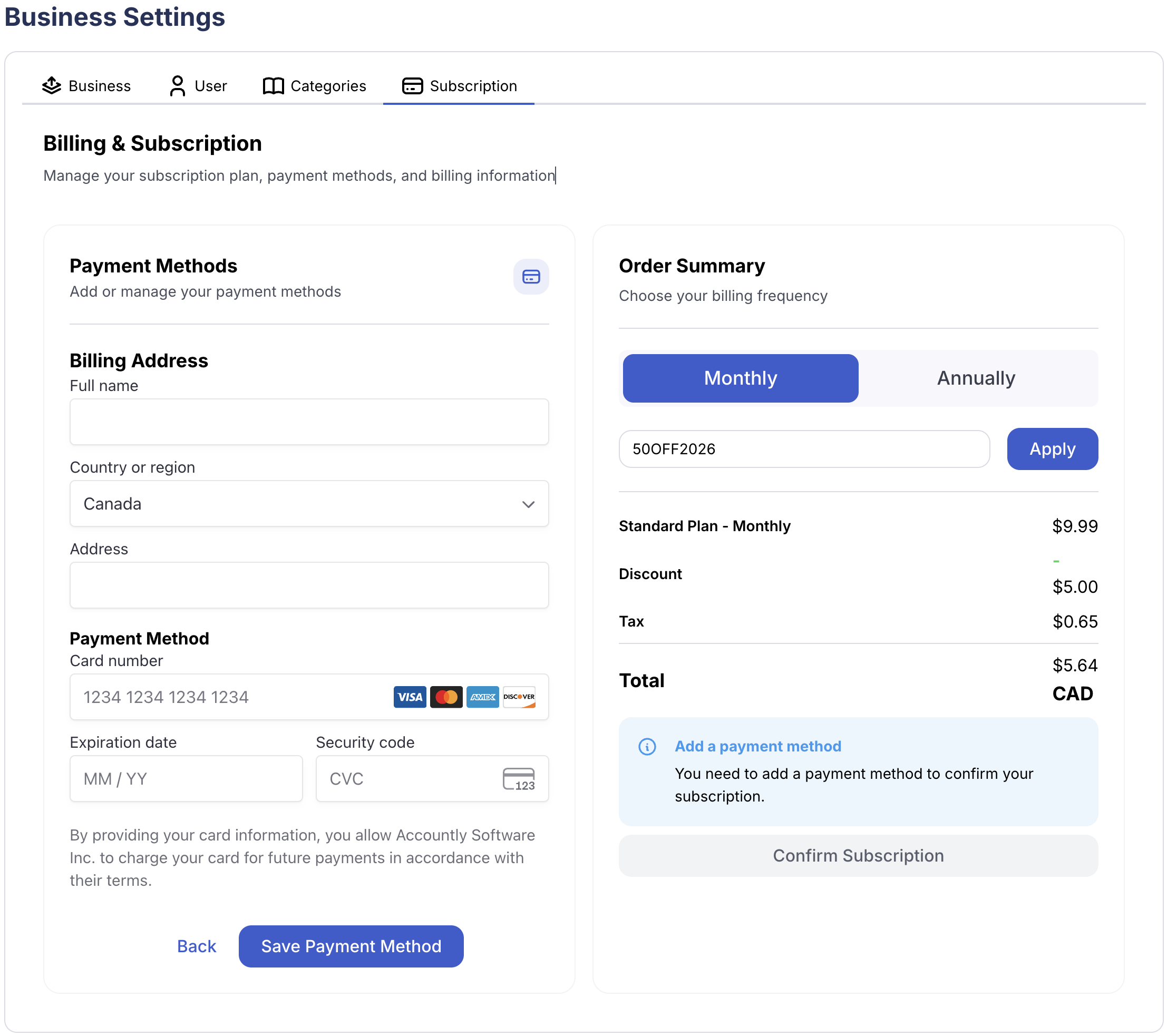
Open Settings → Subscription. In the left sidebar, click Setting, then choose the Subscription tab.

-
Pick monthly or annual. The discount applies to whichever billing cycle you choose, so pick the one you want before entering the code.
-
Enter your code and click Apply. Below the plan toggle there’s a field labelled “Enter coupon code”. Paste your code and click Apply. The discounted total appears immediately under the breakdown.
-
Confirm and subscribe. Click Subscribe to complete checkout. Your card will be charged the discounted amount, and the discount applies for your first year.
Using the iOS or Android app?
Subscriptions purchased on iOS or Android go through Apple’s App Store or Google Play, which use their own redemption flows. Promo codes from our website apply only to web subscriptions billed through Stripe - sign up at accountly.ai/app/register to use them.
Code not working?
Codes are case-sensitive and may have an expiry date. If yours is rejected, double-check for stray spaces or email support@accountly.ai and we’ll sort it out.
Still need help?
Email support@accountly.ai and we'll get back to you.