

Mileage tracking, without the spreadsheet
Drive, and Accountly logs it. The app detects trips automatically, or you can add one by hand, so your business mileage records are ready at tax time.
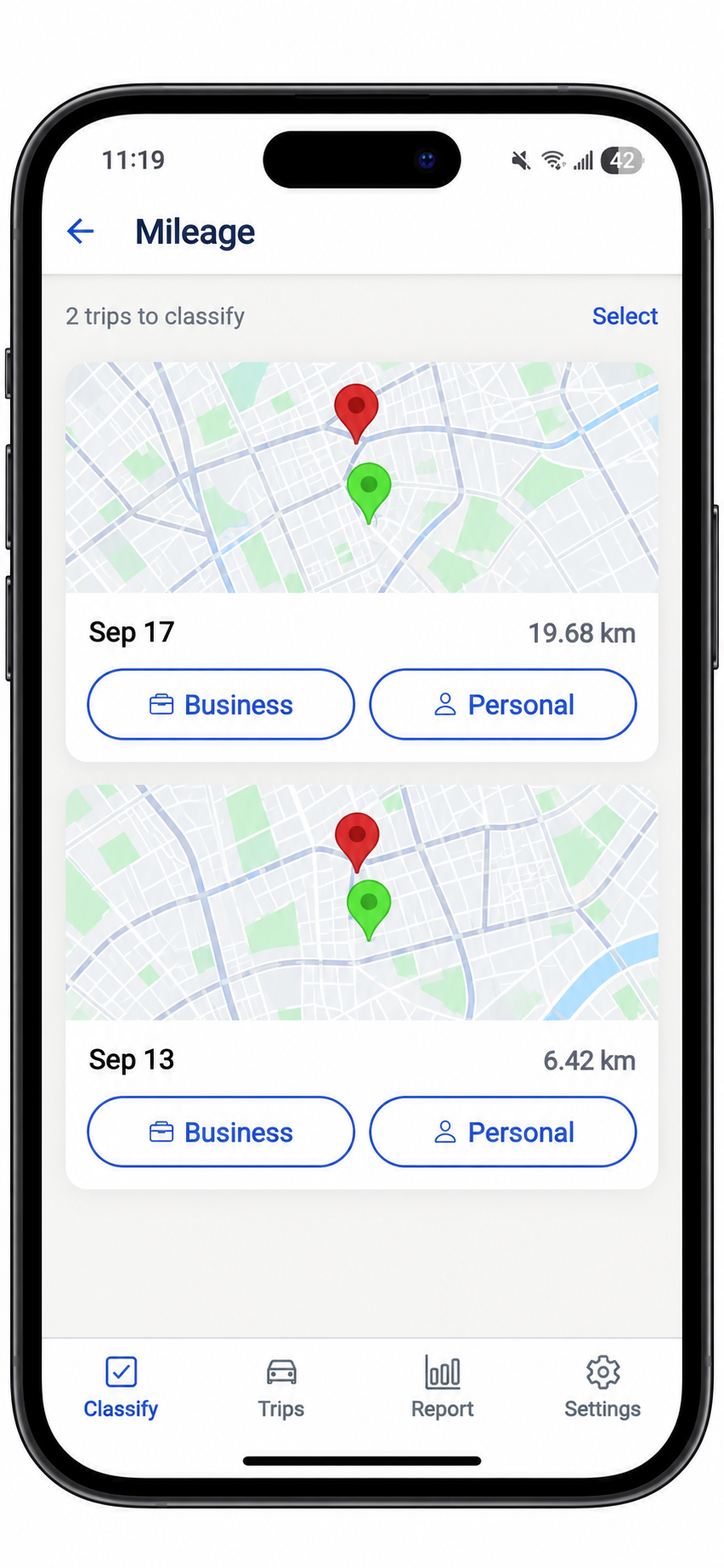
Never lose a business drive again
For rideshare, delivery, client visits, and showings, Accountly keeps the record tax authorities want without a paper logbook.
 Automatic GPS trip tracking
- Classify every drive as business or personal
- Add manual trips any time
Every kilometre adds up
Your classified trips create a clear record of business and total kilometres. Use that business-use percentage with your eligible vehicle expenses when completing Form T2125.
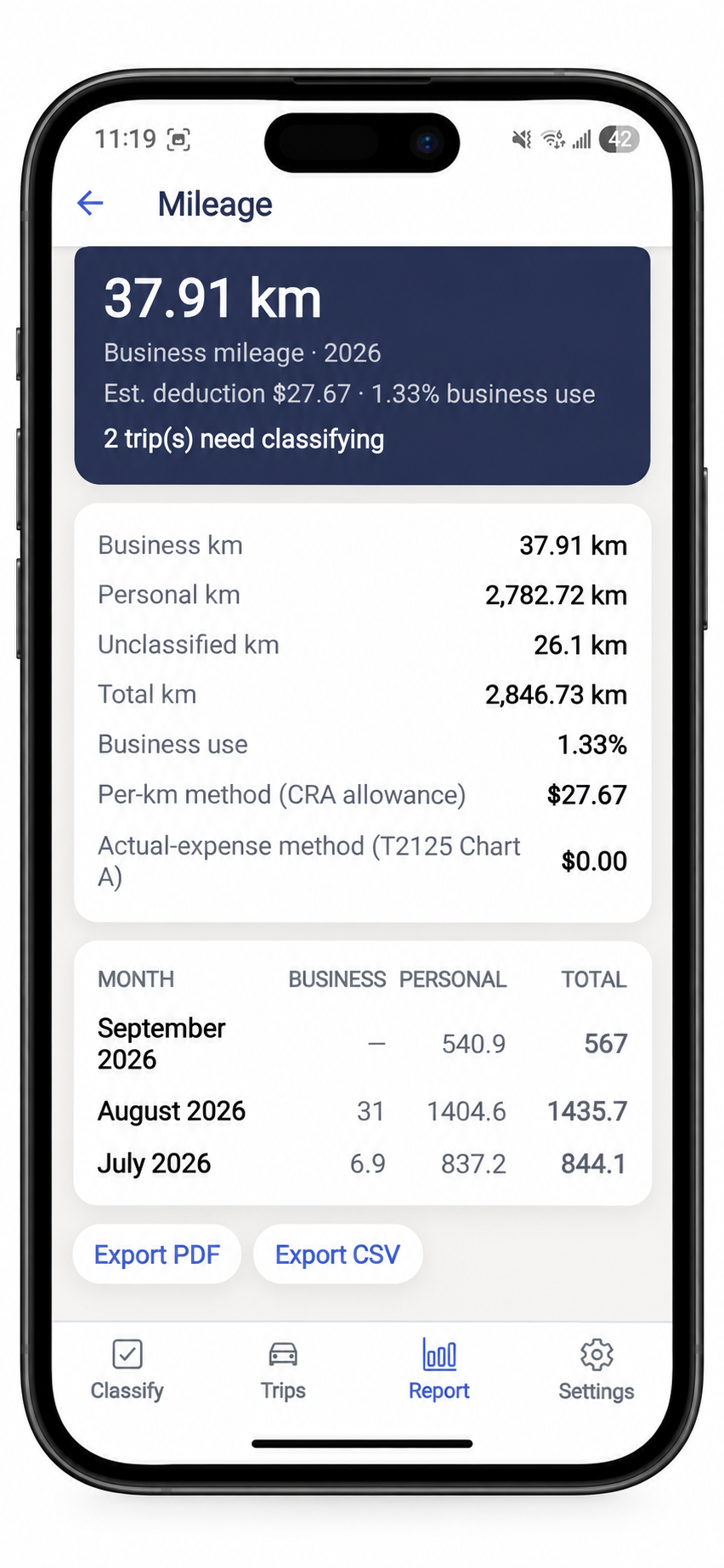
Your mileage report, ready at tax time
See business, personal, and unclassified kilometres in one place, then export a clean report whenever you need it.
- See your business-use percentage at a glance
- Review monthly mileage totals
- Export your report as a PDF or CSV
How it works
Just drive
Turn on tracking and Accountly detects trips in the background, no need to remember to hit start.
Classify your trips
Mark each trip business or personal. Add a manual trip anytime you drove without tracking on.
Report your mileage
Your classified trips roll up into the business-use percentage and mileage report you need for your vehicle-expense calculation.
Common questions
How does automatic mileage tracking work?
Turn on tracking in the Accountly mobile app and it logs your drives using your phone's GPS in the background. When a drive ends, it shows up ready to classify, no manual start/stop required.
Can I add a trip manually?
Yes. Add the date, distance, and purpose by hand, on web or mobile, for any drive you took without automatic tracking on.
How is my deduction calculated?
Self-employed Canadians generally claim eligible vehicle expenses based on the percentage of their total kilometres driven to earn business income. Accountly records the kilometres and calculates that business-use percentage; you still need records for expenses such as fuel, insurance, maintenance, interest, leasing costs, and CCA where applicable.
Does mileage tracking drain my battery?
Tracking is tuned for low battery use and only runs while it's turned on. You can pause it anytime from the app.
Does it work for rideshare and delivery driving?
Yes. It's built for anyone who drives for work, rideshare and delivery drivers, real estate agents, consultants visiting clients, and more.
Does my mileage feed into my T2125?
Your logged business and total kilometres support the business-use calculation in the motor vehicle expenses section of Form T2125. Vehicle costs and their tax treatment still depend on your records and circumstances.
Stop guessing at your business mileage.
Track every business kilometre automatically and keep a clean log for tax time.